Free video meetings for universities
A lecture, a research discussion and exam office hours need different conversations. Bring the right group together with a Planaro link, share the material, and start on the free plan.
Meetings, screen sharing and chat. Recording: up to 2 hours, stored for 30 days.
Planaro editorial team · Updated 20 November 2026
Keep lectures and small-group seminars distinct
Give the relevant cohort one lecture link and place it beside the topic in the timetable. Use the subject and date in the meeting title so students can distinguish it from another teacher’s office hours. Share the presentation and explain when you will take questions from the chat.
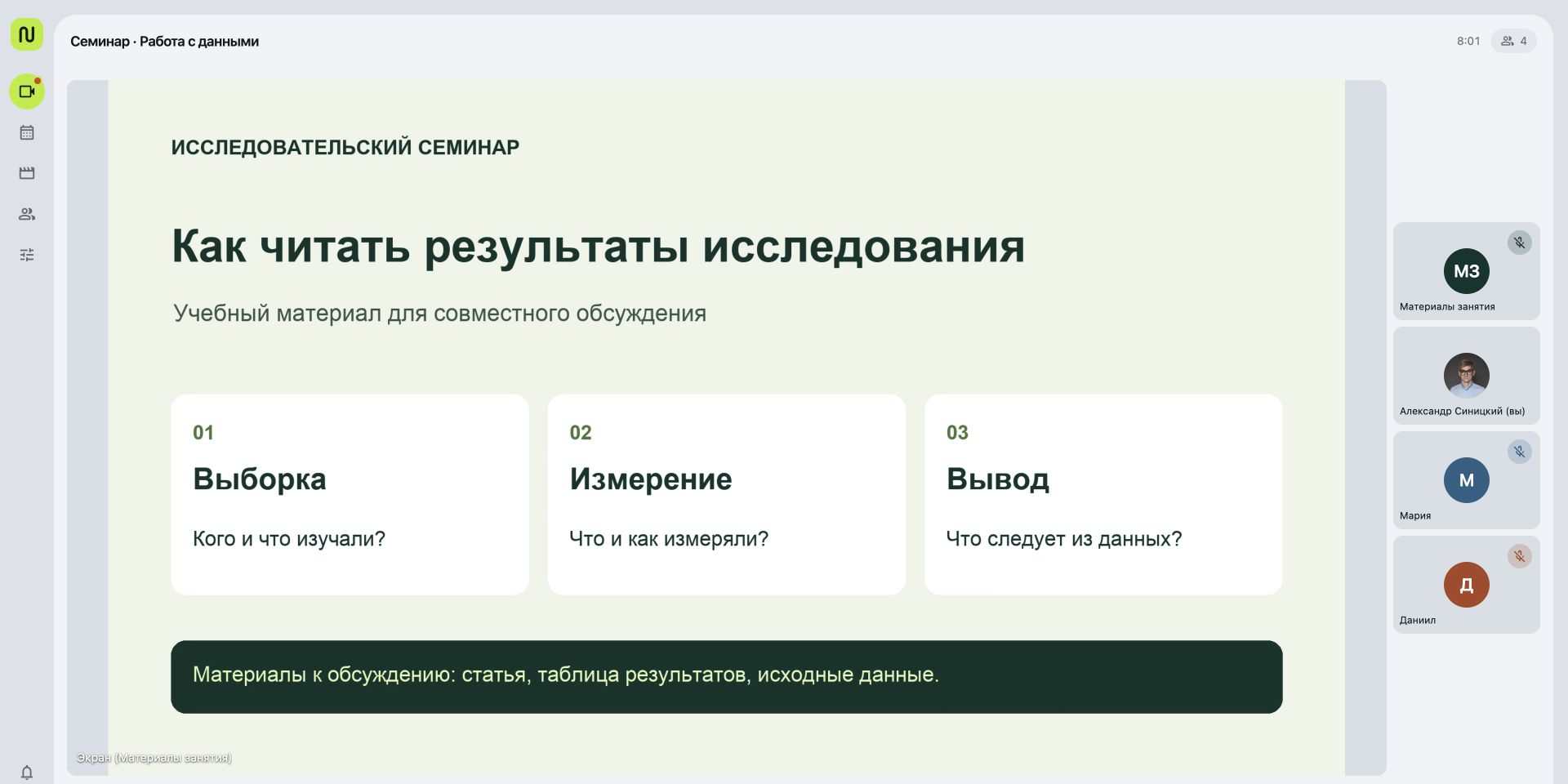
A seminar works better in a separate room for the class. Share a particular paper, problem or student project. When speakers change, check who is sharing and whether the material is readable.
Discuss research around the original material
Open the paper, results table, chart or code in its own window. Enlarge axis labels and notes rather than showing an entire desktop. Provide the publication or authorised document separately so people can revisit it after the discussion.
Invite an external speaker with a meeting link for guest entry. They do not need course membership just to take part in one discussion. For confidential work, decide who may receive the invitation and which material can be shown.
Office hours and dissertation practice
A student can share the structure of a dissertation, a calculation or a presentation and discuss specific questions with a supervisor. Arrange a separate meeting for a practice presentation with the people giving feedback.
Keep documents and comments in the department’s usual location. An agreed recording can help someone revisit an explanation, but the call does not create a review, grade record or official assessment outcome.
Keep the course portal as the starting point
Add the Planaro room as a standard URL resource in Moodle. Put slides, required reading and a start time with a time zone alongside it. Students can find both course material and the live session in the same section.
Label cohort lectures and individual consultations differently. Update the description manually when the schedule changes. A URL does not synchronise grades, attendance or participants.
Add a meeting link to Moodle →Across campuses and time zones
Guests can join in a browser. Watching a desktop screen share in the Planaro mobile app has also been tested. A larger screen and the original document remain preferable for detailed tables.
Include the UTC offset for an inter-university session and test access from each institution’s network. Check that the meeting and screen share open from the campus network and that participants can access the source files.
Start teaching on the free plan
The free plan includes video meetings, screen sharing, chat, the calendar, recording and transcription. Use it for a first seminar and check the connection with your class.
Current published terms do not limit the number or length of free meetings. Each recording can be up to two hours and is stored for 30 days. Check participant capacity and the other current terms before inviting a large cohort.
Try it with one course first
- Choose one seminar or consultation with a known participant group.
- Create a separate meeting and add its link to the course.
- Test guest entry on a phone and computer from the campus network.
- Share the actual formulas, table or code you will use.
- If you need a recording, run a short test and decide how the class will receive it.
This checks your teaching setup before you publish invitations for a whole cohort.
Questions before you start
Do we need an institutional contract to start?
You can begin with the public free plan. Check your institution’s contracting, data and teaching-material requirements separately; this page does not promise institutional approval.
Can an external supervisor join?
You can send them a guest invitation link. Check that confidential material can be discussed with the intended participants.
Does this replace our learning environment?
It provides live video meetings. Keep courses, assignments, grades and records in your institution’s learning system.
Bring your next lesson together
Test the connection with a colleague, prepare your materials and send the invitation to your class.