A Zoom alternative with recordings and summaries
Try Planaro Meet for work calls by link, screen sharing and recorded-meeting follow-up. Compare your usual workflow and the current terms of both services.
Planaro and Zoom: comparison by task
Zoom can also work in a browser, transcribe speech and prepare summaries. What matters here are the terms of access and how convenient your particular process is.
| Task | Planaro Meet | Zoom |
|---|---|---|
| Joining a meeting | Guests join by link in a browser. The host sets room-access rules. | There is a guest and browser login. Access depends on meeting settings. Source ↗ |
| Record | Start recording in the room, then find the processed result in meeting history and download the MP4 when available. | There is local recording in the desktop app and cloud recording when you meet plan requirements. Local ↗ · Cloud ↗ |
| Transcript | Speaker-labelled text with timestamps after a recorded meeting is processed. | There is a transcript of cloud recordings; Russian is listed among the supported languages. Source ↗ |
| Meeting summary | A summary for reviewing decisions, commitments, and open issues. | AI summaries are available subject to plan, licence and settings requirements. Source ↗ |
| Terms of use | An ongoing free plan is available. See current features and retention limits on the recording page. | There are free Basic and paid plans with varying restrictions. Check the appropriate plan for your scenario. |
| Deployment in your network | On-premises deployment is scoped separately, with requirements and components agreed before implementation. Read more ↗ | There is Zoom Meetings Hybrid for placing components on the customer's network. Source ↗ |
Compare recognition quality, latency and connection stability on the same conversation, devices and network. The presence of a function does not imply a quality advantage. Terms of services may change; links lead to primary documents.
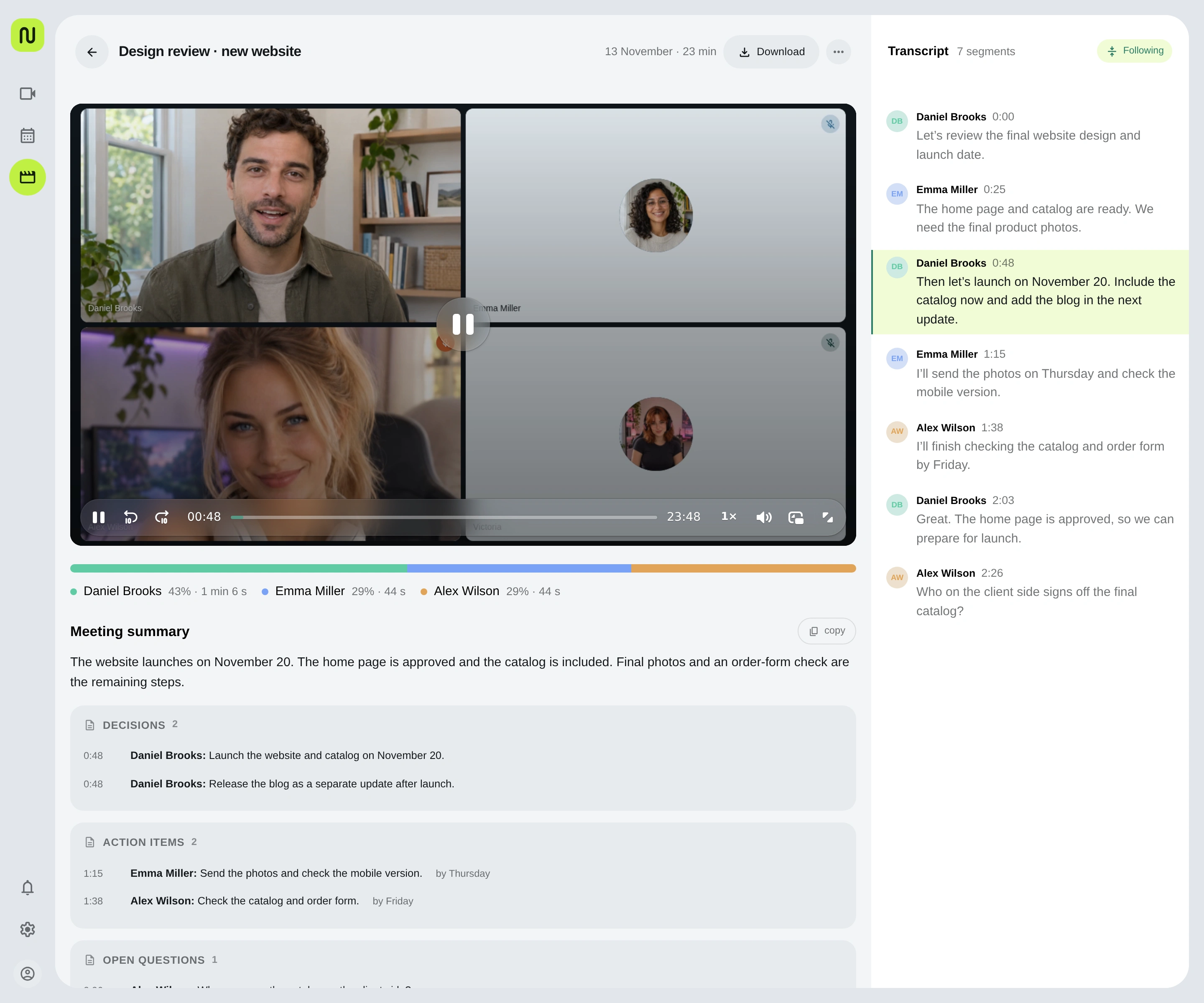
See how the outcome of a meeting works in Planaro
The recording, transcript and summary together on one screen.
Test the replacement in one work meeting
Choose a typical meeting
Use a regular planning meeting or task discussion. List the features and limits that matter before comparing services.
Follow the path of the participant
Invite a colleague or external guest via a link. Check input, microphone, screen sharing and access from the desired device.
Check the materials after the conversation
If you have agreed on the recording, check the video, text and summary. Verify important details and assess whether the format suits your team.
Before your first meeting
Is it possible to log into Zoom without an account and application?
Yes, Zoom supports guest login and web app. Browser login access and authorization requirements may depend on host settings. This is not a Planaro exclusive feature.
Does Zoom have Russian transcripts and AI summaries?
Yes, Zoom supports Russian to transcribe cloud recordings and provides AI summaries when plan and settings requirements are met. Quality comparison requires a separate identical test.
Is it possible to transfer a Zoom archive to Planaro?
Do not assume the archive transfers automatically. Keep earlier materials in your existing archive and test Planaro with a new meeting first.
Is Planaro a good alternative to Zoom for my team?
Test guest access, audio, screen sharing, recording, transcription and storage. Confirm any required integrations, webinar controls and infrastructure options separately before switching.