Transcript
Speaker-labelled text with timestamps helps you find a moment and check what was said.
Find the right moment, check exactly what was said and decide what comes next. Once a recorded meeting has been processed, Planaro shows a speaker-labelled transcript and a summary.
Speaker-labelled text with timestamps helps you find a moment and check what was said.
Check the original audio and video. Jump from the transcript to the corresponding moment in the recording.
Review decisions, commitments and open questions. Check important names, terms and wording before sharing.
Find speakers, timestamps, transcript text and the summary beside the recording.
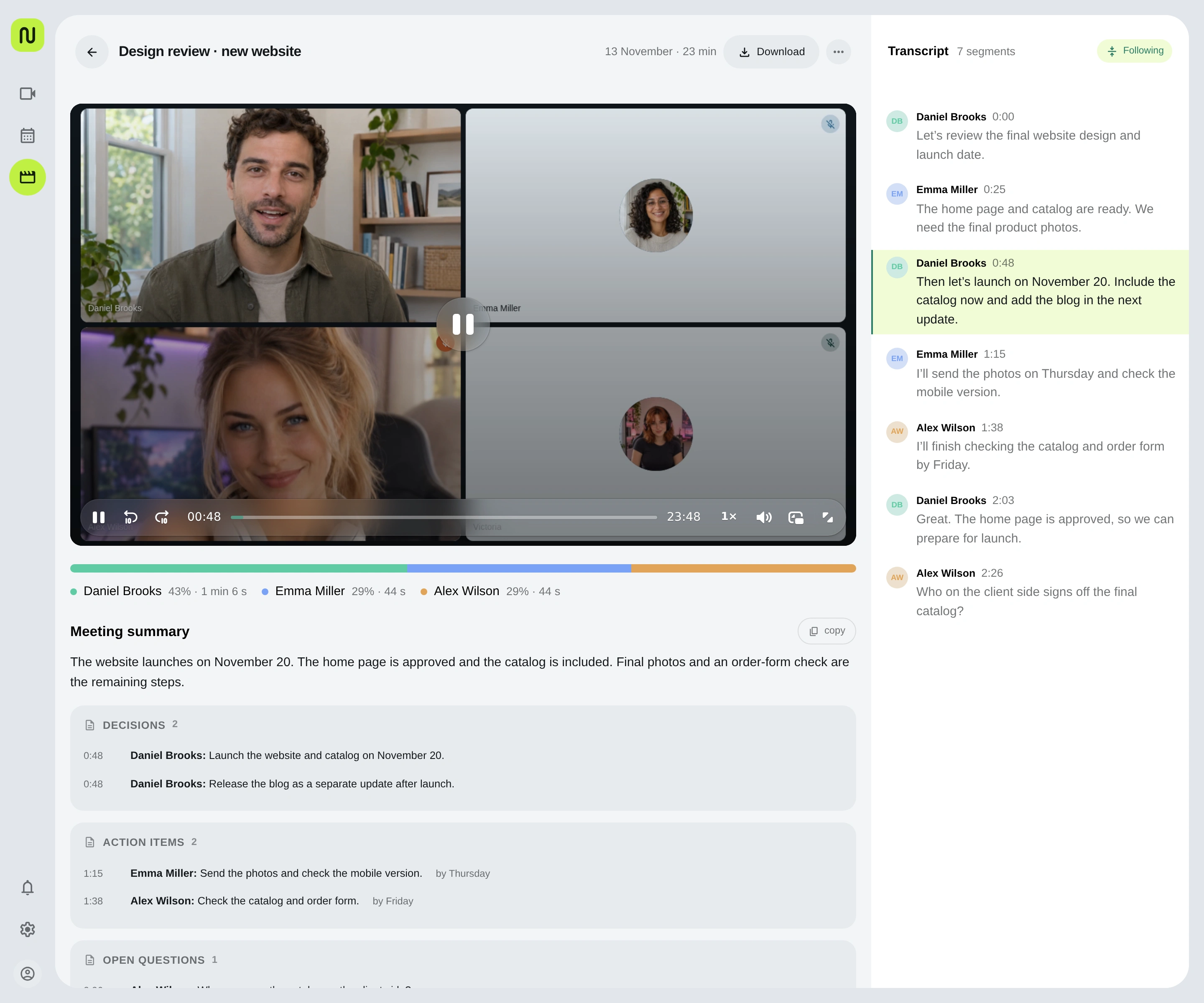
Treat automated text as a draft to review. It does not confirm approval or replace agreement between participants. Check the version you send to colleagues or clients.
See how a conversation becomes a structured follow-up with decisions, owners and open questions.
Let’s develop one concept for the first review and set the second direction aside for now.
I’ll prepare the chosen concept by Friday. I still need copy for the payment screen.
I’ll check who is supplying that copy. We can agree on a deadline for the payment screen once we have their answer.
Develop one concept for the first review. Set the second direction aside for now.
Oleg will prepare the chosen concept by Friday. Irina will confirm who is supplying the copy.
Who will provide the payment-screen copy, and when? The deadline for that screen is not yet agreed.
Check names, dates and meaning against the recording. Ask participants to confirm any owner or deadline that was not agreed.
Download the example summary · TXT ↗Agree on recording before starting it. Clear source audio improves the transcript.
Open the recording after processing. Browse the speaker-labelled transcript and jump to the moments you need.
Verify important details against the record. Confirm decisions and transfer agreed upon tasks to a familiar tracker or working document.
No. It is prepared after a recorded meeting is processed. Check progress in the recordings section.
Accuracy depends on audio quality, terminology and overlapping speech. Check important passages against the original recording.
The transcript follows the conversation in sequence. The summary highlights decisions, commitments and open questions. Check it as a draft before treating it as the agreed outcome.
No. This workflow requires a recording. A conversation that was not recorded cannot be transcribed afterwards.