A practical teaching guide

Run a Coursework or Thesis Consultation Online

Bring the current draft and one question that needs a decision. Use the shared screen to review the evidence, agree the next revision and leave a clear record of what happens next.

Keep your materials in the tools you already use. Explore Planaro Meet.

Start with the teaching task

A useful consultation starts with a specific version

Feedback becomes hard to act on when a supervisor and student are reading different drafts. Confirm the current file and the question before working through individual comments.

A shared view lets you compare a claim with its supporting section, inspect a project result or review the structure of a presentation. The revised work remains in the student’s own files.

A consultation outline

  1. Current draftWhich file and version are we reviewing?
  2. DecisionWhich question needs a supervisor’s input?
  3. EvidenceWhich section, data or project result supports the answer?
  4. Next revisionWhat changes, who does it and when is it reviewed?
Use the outline for a report, coursework project or thesis discussion.
A session in Planaro

A shared view of the work you are discussing

Open the material in your usual application on a computer and share the relevant window in Planaro Meet. Meeting chat keeps a source link, question or short note alongside the conversation.

A learner can join by link as a guest. To review their work, a participant on a computer can share their own window after the current share ends. Use the Planaro calendar to arrange a follow-up session.

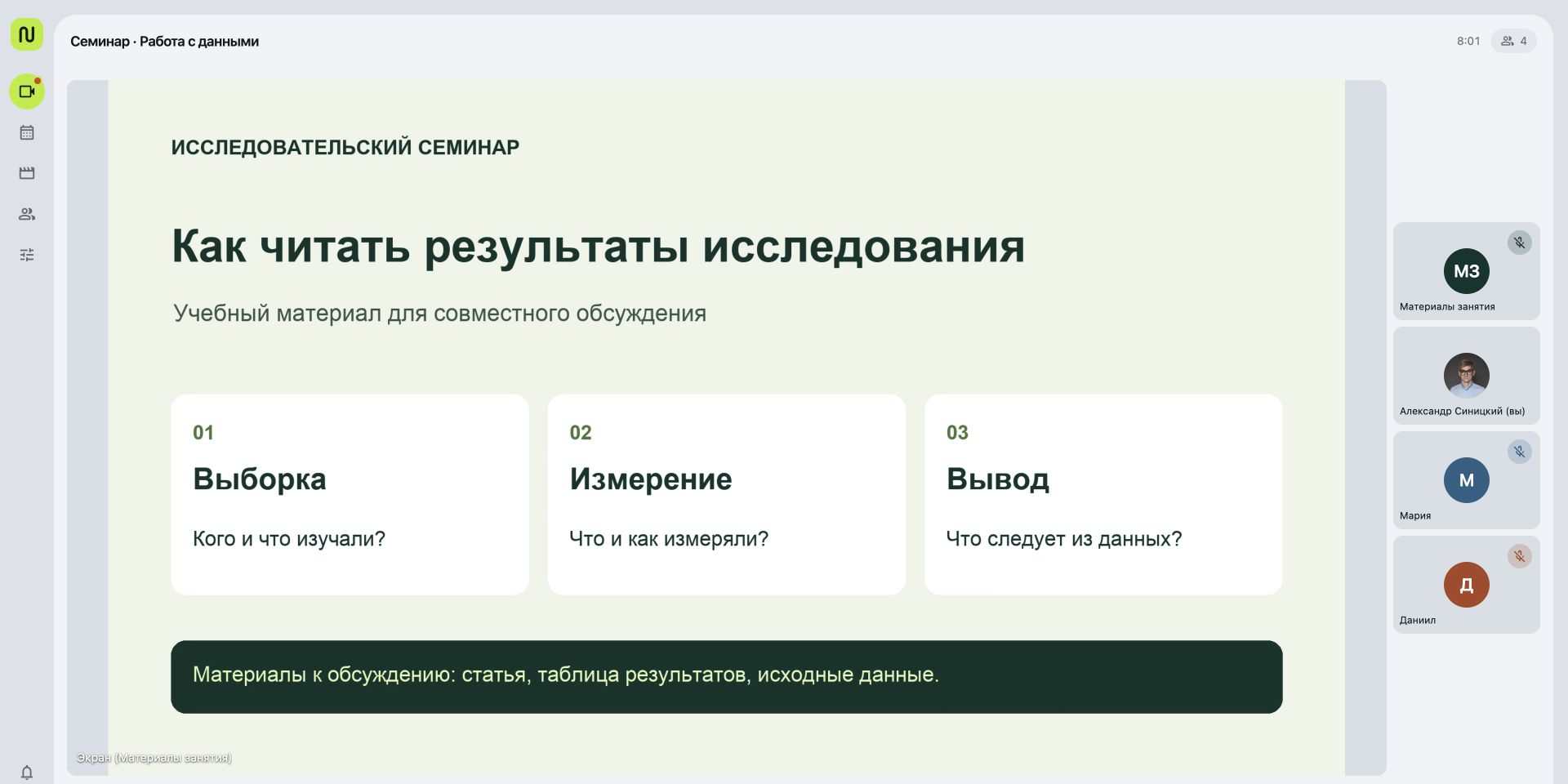
Planaro Meet showing shared teaching material beside the participants.
Teaching material shared in a Planaro Meet session. View full size ↗

1. Prepare the draft and supporting material

Open the current text, assignment requirements and the figures or source files relevant to the question. Check that shared links grant the intended access.

Send the supervisor a concise agenda beforehand. A focused question is easier to resolve than an invitation to review an entire unfinished project without context.

2. Review the argument alongside its evidence

Keep the relevant passage visible while discussing its source, calculation or result. Distinguish a missing explanation from a missing part of the underlying work.

A student on a computer can share their document or project window. They retain control of the file and can show how the result was produced.

3. Separate revisions from presentation practice

For a written draft, record comments against the relevant section. For an upcoming presentation, run a short rehearsal using the actual slides and the course’s expected time.

Use the presentation rehearsal guide for a fuller sequence. Keep the final assessment and submission rules in the institution’s own process.

4. Leave with an agreed next version

Save the decisions, remaining questions and next review date in the project notes. Schedule a follow-up in the Planaro calendar if useful.

Agree any recording and review it before sharing. Keep source files separately. Download a consultation outline.

Before the first session

Can we review a project rather than a text document?

Yes. Share the relevant application or file from a computer, with the current project version ready.

Does the call replace the institution’s submission process?

Keep formal submission, assessment and storage in the tools required by your institution. Meet supports the consultation and discussion.

Does a learner need an account?

A participant can join an invited meeting as a guest. The organiser creates the meeting from their account.

Bring the next question into a shared view

Start with one task or question. Open the source material, create a meeting and send the invitation to your learners.