A practical teaching guide

Run a Mock Defence or Research Presentation

Bring the right participants together and prepare the files needed for questions. Use Planaro for a practice research presentation and a focused review of the explanation.

Keep your materials in the tools you already use. Explore Planaro Meet.

Start with the teaching task

Finished slides do not yet show how the explanation works

A presentation contains the main sections, but a question sends the student searching for the calculation behind a claim. A rehearsal makes that transition between the talk and supporting material visible.

Prepare the current slides and related files. Run through the presentation in Meet, ask questions and keep a revision list for the next review.

Prepare for the rehearsal

  1. SlidesA clearly named current version
  2. EvidenceCalculations, images or a working result
  3. FeedbackWhat needs another pass?
Your institution determines assessment criteria and formal examination procedures.
A session in Planaro

A shared view of the work you are discussing

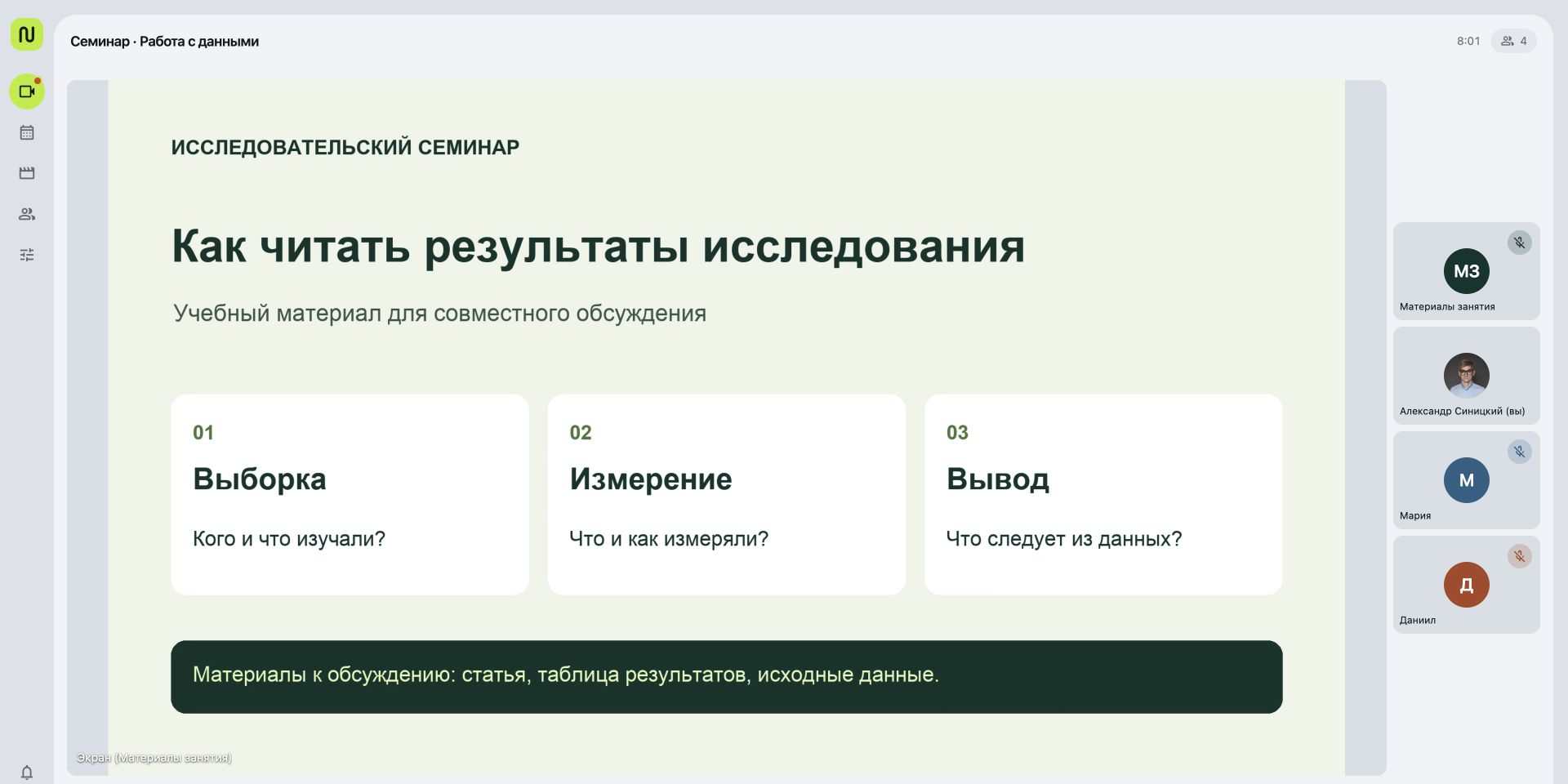
Open the material in your usual application on a computer and share the relevant window in Planaro Meet. Meeting chat keeps a source link, question or short note alongside the conversation.

A learner can join by link as a guest. To review their work, a participant on a computer can share their own window after the current share ends. Use the Planaro calendar to arrange a follow-up session.

Planaro Meet showing shared teaching material beside the participants.
Teaching material shared in a Planaro Meet session. View full size ↗

1. Agree the session format

Set participants, speaking order and a time zone. The organiser creates the meeting and sends a link; guests can join without an account.

Identify the material versions to prepare and how questions will be handled.

2. Check sharing before the talk

Open the slides and supporting files. Test audio, the selected screen and a real chart or table at its intended size.

Prepare a clear window sequence. Agree how to switch presenters if another participant needs to share.

3. Rehearse the talk and questions

The presenter shares from a computer and explains the result. They can open supporting material in the source application when a question requires it.

Connect feedback to a slide, argument or transition. Use chat for short clarifications and reference links.

4. Keep a revision plan

Retain changes against the presentation version, identifying any evidence to add or prepare for questions.

Review an agreed recording before sharing it. Schedule another review in Planaro if needed; formal assessment records remain in your institution’s system.

Before the first session

Does this replace a formal examination process?

This page covers a teaching rehearsal and discussion. The institution sets the requirements for any formal assessment.

Can a presenter share a program or drawing?

Yes. Open the material on the presenter’s computer and share the available window in Meet.

Does a learner need an account?

A participant can join an invited meeting as a guest. The organiser creates the meeting from their account.

Bring the next question into a shared view

Start with one task or question. Open the source material, create a meeting and send the invitation to your learners.