For teachers, tutors and study groups

Teach Education and Pedagogy Online

Share the lesson plan and discuss what the learner will actually do. Use Planaro for education seminars, task reviews and short teaching demonstrations.

Keep your materials in the tools you already use. Explore Planaro Meet.

Start with the teaching task

Connect a learning goal to an observable response

A lesson plan states a broad aim, but it is not yet clear which learner action would demonstrate progress. Sharing the goal, task and expected response makes that connection discussable.

Open the plan in Meet. A student teacher can explain the sequence, show materials and receive feedback on a particular stage.

Connecting a teaching plan

  1. GoalWhich learning outcome is in view?
  2. TaskWhat does the learner do?
  3. EvidenceWhat response can be examined?
The instructor selects the pedagogical framework and course criteria.
A session in Planaro

A shared view of the work you are discussing

Open the material in your usual application on a computer and share the relevant window in Planaro Meet. Meeting chat keeps a source link, question or short note alongside the conversation.

A learner can join by link as a guest. To review their work, a participant on a computer can share their own window after the current share ends. Use the Planaro calendar to arrange a follow-up session.

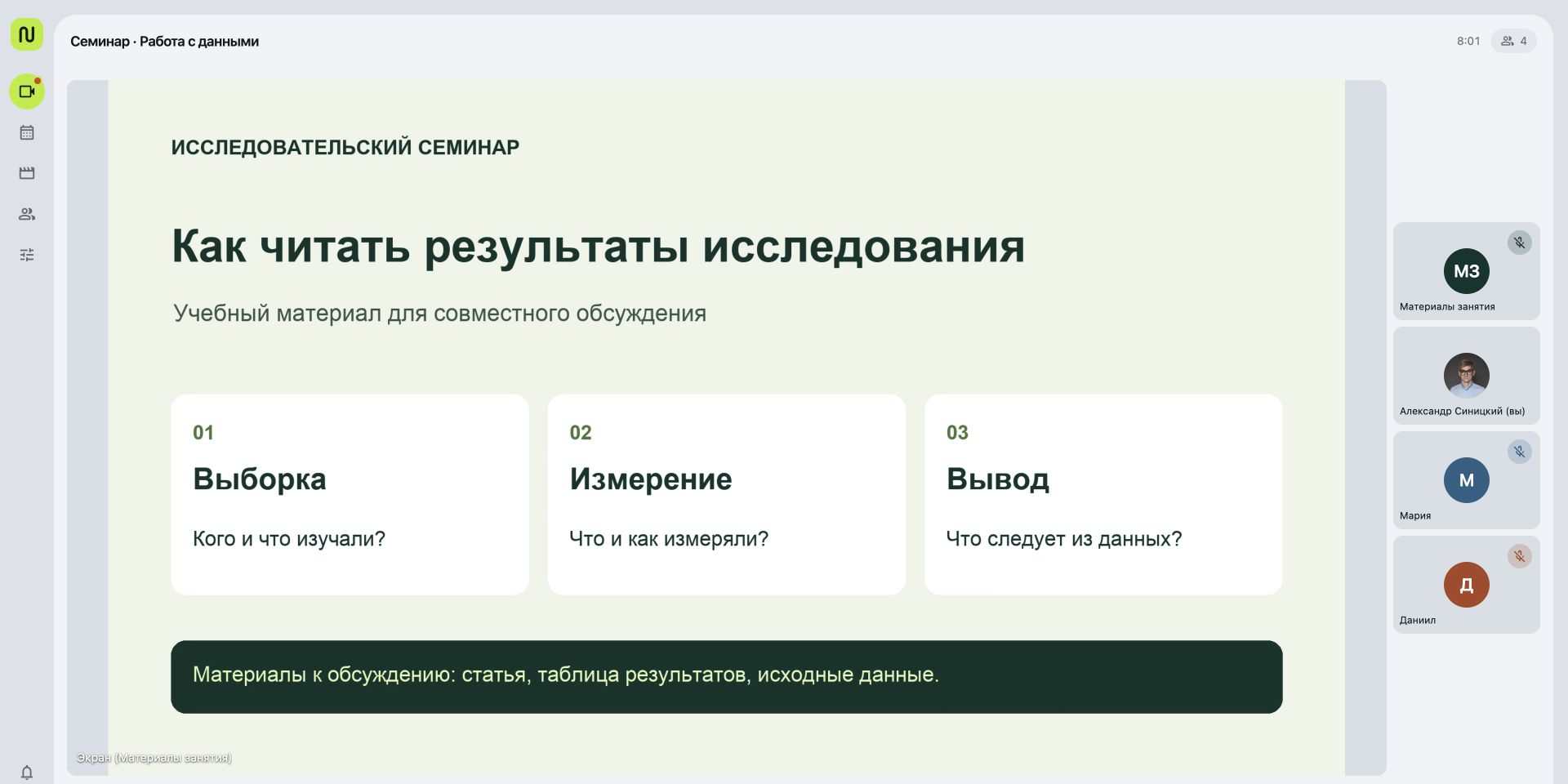
Planaro Meet showing shared teaching material beside the participants.
Teaching material shared in a Planaro Meet session. View full size ↗

Review the lesson sequence

Keep stages and materials together. Discuss the transition from explanation to independent work and the questions learners may raise.

Retain the original when revising a stage. Editing happens in your chosen document service.

Run a short teaching demonstration

A student teacher can share a task and teach a short segment to the group. Other participants can ask questions and offer feedback.

Define the focus in advance, such as the clarity of the instruction, readability of the material or sequence of activities.

Compare tasks and learner responses

Share the task with prepared example responses. Discuss the actions required and what those responses reveal about understanding.

Use authorised, appropriately anonymised material for real pupil work, keeping references in the course space.

Keep the next revision clear

Record the selected change, intended effect and how it could be examined in the teaching exercise. Schedule the next review in Planaro when useful.

Record by agreement and retain the plan and materials separately so revised versions can be compared.

Before the first session

Can I use Planaro for microteaching?

You can share materials and run a short teaching exercise in the common meeting. The instructor sets its rules and feedback format.

Where should lesson plans be stored?

Keep them in your document editor, storage or learning system. Meet is used to share and discuss them.

Does a learner need an account?

A participant can join an invited meeting as a guest. The organiser creates the meeting from their account.

Bring the next question into a shared view

Start with one task or question. Open the source material, create a meeting and send the invitation to your learners.