For teachers, tutors and study groups

Teach Psychology Online with Planaro

Share the teaching material and examine how a student connects observation to explanation. Use Planaro for theory seminars and research-work discussions.

Keep your materials in the tools you already use. Explore Planaro Meet.

Start with the teaching task

Keep the observation separate from its interpretation

A classroom account moves directly from describing a situation to explaining it, making the evidence difficult to identify. A shared document lets you separate the two and discuss their connection.

Prepare an invented or appropriately anonymised teaching example. Share it in Meet and identify the question, observations and basis for the interpretation.

An academic discussion framework

  1. MaterialWhich observations are available?
  2. QuestionWhat needs an explanation?
  3. ReasoningHow does the theory relate to the data?
A workflow for teaching discussion of theories and prepared material.
A session in Planaro

A shared view of the work you are discussing

Open the material in your usual application on a computer and share the relevant window in Planaro Meet. Meeting chat keeps a source link, question or short note alongside the conversation.

A learner can join by link as a guest. To review their work, a participant on a computer can share their own window after the current share ends. Use the Planaro calendar to arrange a follow-up session.

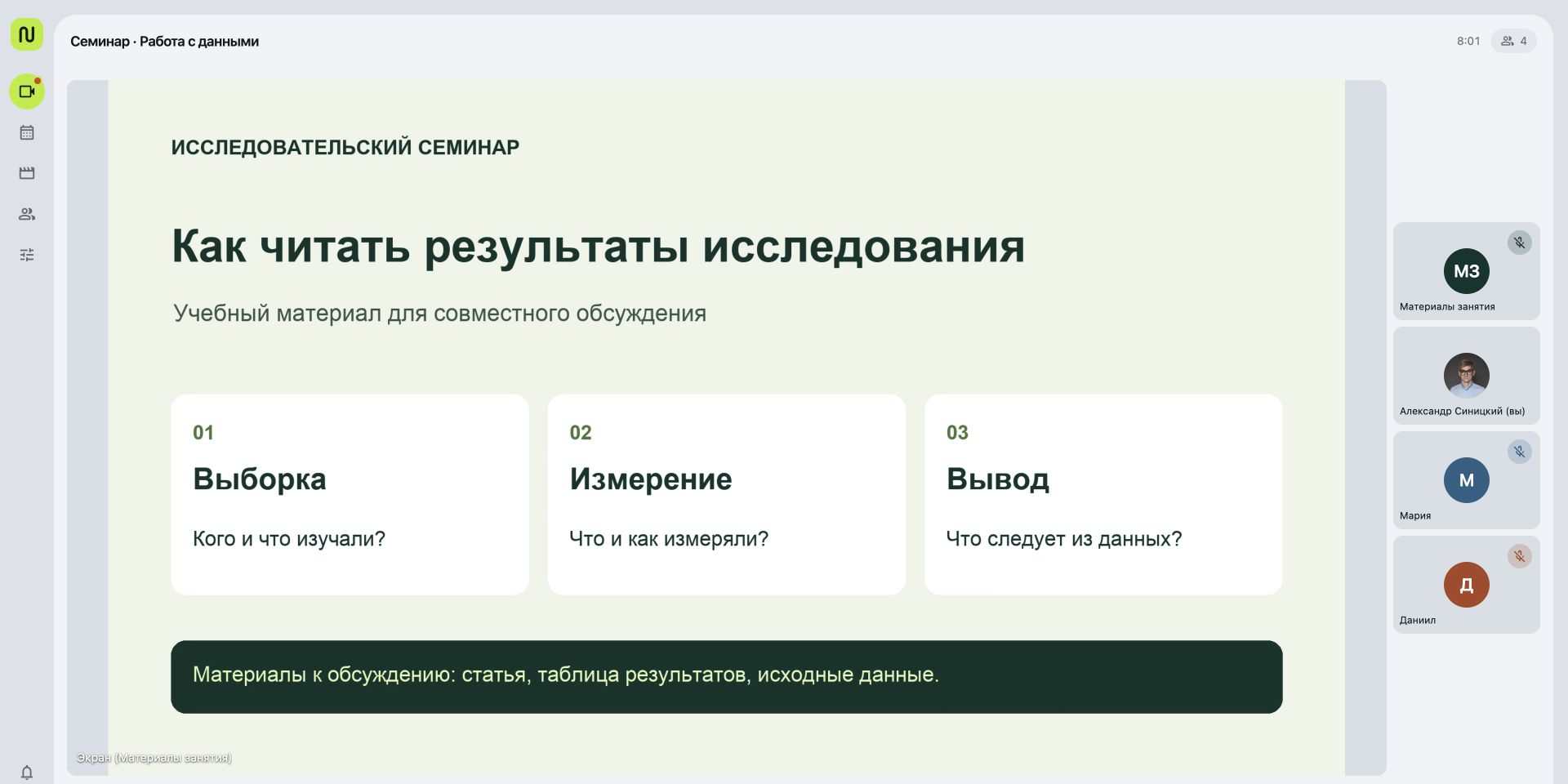
Planaro Meet showing shared teaching material beside the participants.
Teaching material shared in a Planaro Meet session. View full size ↗

Compare theoretical approaches

Place one question beside the selected accounts of each approach. Discuss which aspects of the material each emphasises.

Keep original publication links in your course document or meeting chat so students can revisit the precise wording.

Review research work

Share the question, method and prepared results. Discuss the conclusion supported by the material and the limitations identified by the author.

Use authorised teaching data with enough context about how they were obtained.

Run an academic seminar

Participants can present arguments in turn and ask questions about the same material. Meeting chat is available for brief clarifications.

For a teaching role-play, the instructor sets the rules and participants in advance. Meet supports the conversation and shared materials.

Keep an appropriate seminar record

Retain academic conclusions, references and the next reading question. Store participant materials in your suitable course system.

If recording is needed, agree its scope and access first. Review the information included in the finished recording and transcript before sharing them.

Before the first session

Can I use it for a theory seminar?

Yes. Share articles, diagrams and prepared teaching cases for discussion in the common meeting.

Can students discuss a research project?

Yes. Share material authorised for discussion and work through the research question, method and conclusions.

Does a learner need an account?

A participant can join an invited meeting as a guest. The organiser creates the meeting from their account.

Bring the next question into a shared view

Start with one task or question. Open the source material, create a meeting and send the invitation to your learners.