For teachers, tutors and study groups

Teach Probability and Statistics Online

Put the data and assumptions beside the result. Use Planaro to examine a calculation, a table and the argument a student makes from them.

Keep your materials in the tools you already use. Explore Planaro Meet.

Start with the teaching task

A result needs the question and assumptions that produced it

A probability appears in the answer, but the equally likely outcomes have not been identified. A shared screen lets you keep the model beside the calculation and discuss where that assumption is used.

For a statistics problem, the source, size and collection of the sample matter too. Share the table with the question before moving to the interpretation.

A small probability model

3 / 6 = 1 / 2

The probability of an even result on a fair six-sided die

Model: six equally likely outcomes. Event: 2, 4 or 6.
Equal likelihood is an explicit assumption in this example.
A session in Planaro

A shared view of the work you are discussing

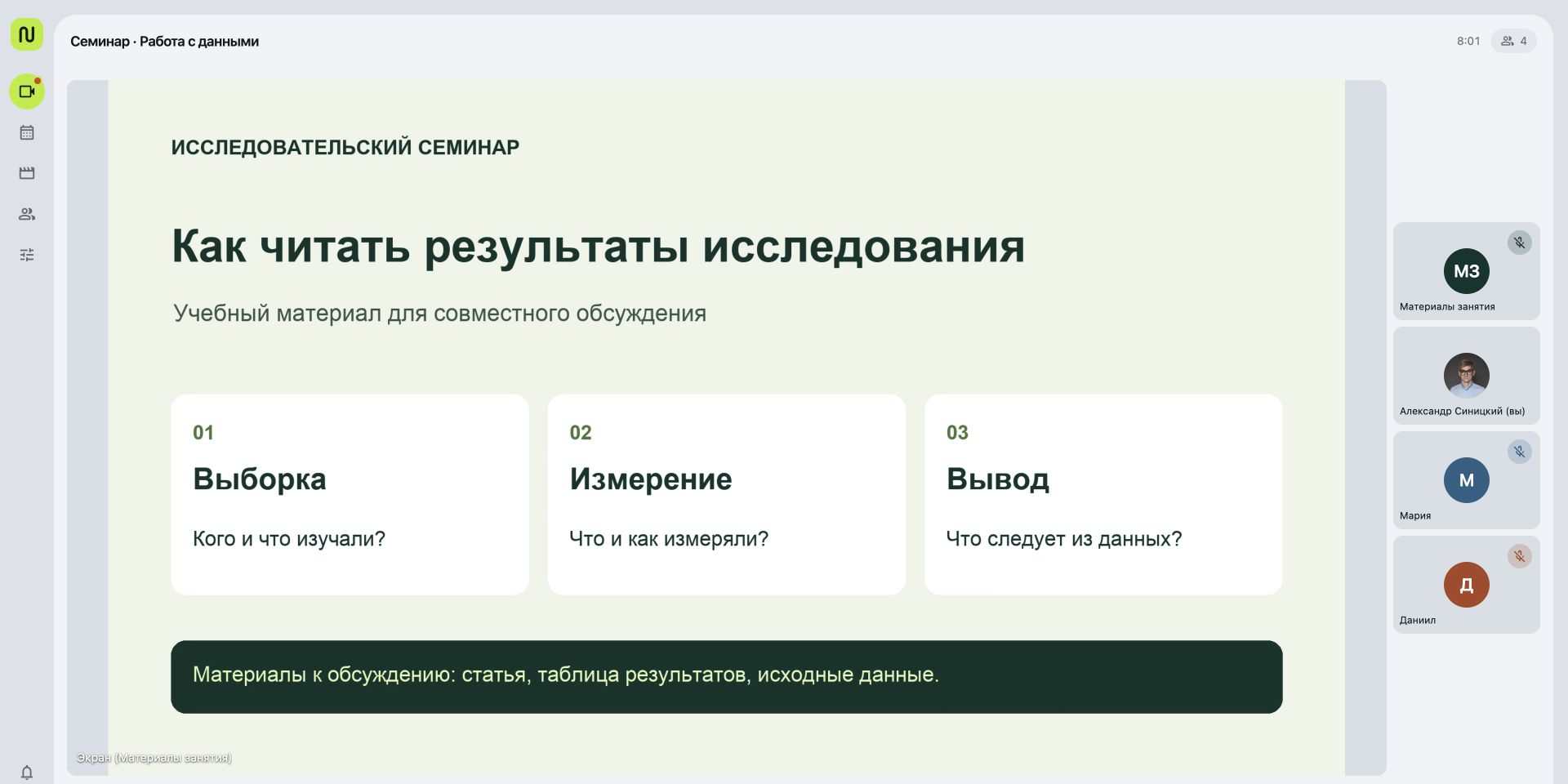
Open the material in your usual application on a computer and share the relevant window in Planaro Meet. Meeting chat keeps a source link, question or short note alongside the conversation.

A learner can join by link as a guest. To review their work, a participant on a computer can share their own window after the current share ends. Use the Planaro calendar to arrange a follow-up session.

Planaro Meet showing shared teaching material beside the participants.
Teaching material shared in a Planaro Meet session. View full size ↗

State the model before calculating

Keep the experiment, event and assumptions visible. Then discuss the working so a student can explain the numerator and denominator.

For conditional probability, identify the information already known. Comparing the conditions is more useful than examining an isolated final fraction.

Keep labels with the data

Show variable names, units and sample information with a table. Retain axes and the chosen range when discussing a chart.

If you calculate in a separate application, share the inputs and output. Provide the original file for students who need to reproduce the calculation.

Discuss what a conclusion supports

Return to the question and compare it with the result actually obtained. A student can share their written interpretation and explain its assumptions.

In a seminar, compare several readings of the same table while everyone retains access to the common source.

Leave a reproducible example

Keep the data, calculation method and assumptions after the session. They let students reconstruct the reasoning later.

Record in Planaro by agreement. Review numbers and statistical terms in the transcript, and retain the dataset separately.

Before the first session

Can I share R, Python or a spreadsheet?

Yes. Share the window of your chosen application. Calculations run in that tool while the group discusses them through Meet.

Can I use it for a research tutorial?

You can share material authorised for the discussion, including data, methods and results. The teacher sets the scope of the interpretation.

Does a learner need an account?

A participant can join an invited meeting as a guest. The organiser creates the meeting from their account.

Bring the next question into a shared view

Start with one task or question. Open the source material, create a meeting and send the invitation to your learners.