A practical teaching guide

How to Share Formulas and Diagrams in an Online Lesson

Choose the writing surface first, then check what the student can actually read. This guide covers prepared documents, external whiteboards and handwriting shown through Planaro.

Keep your materials in the tools you already use. Explore Planaro Meet.

Start with the teaching task

Readability starts in the source material

A whole page may look clear on the teacher’s display and become too small on a learner’s phone. Changing the source zoom gives the explanation a more useful view than simply reading a tiny formula aloud.

Prepare one complete problem with the notation needed to solve it. Keep the original available separately for detailed reading after the lesson.

A quick readability check

x²x₂Can the learner distinguish the power from the subscript?
− 3+ 3Are signs and spacing clear in the actual shared view?
Use a real fragment of the lesson material for the check.
A session in Planaro

A shared view of the work you are discussing

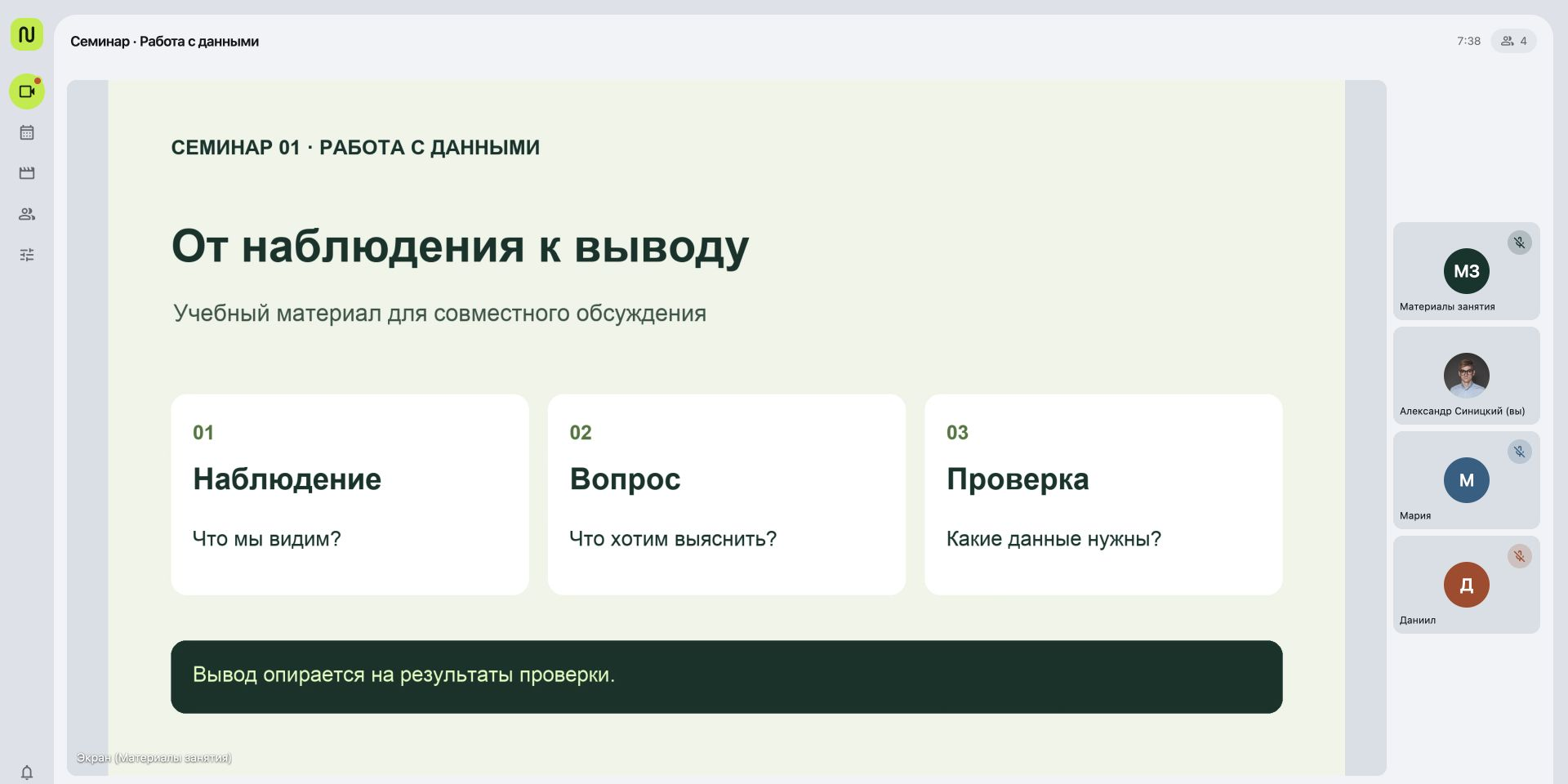
Open the material in your usual application on a computer and share the relevant window in Planaro Meet. Meeting chat keeps a source link, question or short note alongside the conversation.

A learner can join by link as a guest. To review their work, a participant on a computer can share their own window after the current share ends. Use the Planaro calendar to arrange a follow-up session.

Planaro Meet showing shared teaching material beside the participants.
Teaching material shared in a Planaro Meet session. View full size ↗

1. Choose the tool that holds the working

Use a document, presentation, external whiteboard or subject-specific editor. A drawing tablet can help with live handwriting; prepared notation is another option.

If the student should edit the same board, provide its own link and configure access there. Meet carries the conversation and screen view.

2. Share the relevant window from a computer

Open the material before the call and show one coherent section. Keep the task statement, formula and diagram labels together where practical.

Check the chosen window after changing to another source. Return to the full drawing before enlarging a detail so the learner keeps their bearings.

3. Check the learner’s actual view

Ask the learner to read a power, subscript or label from the shared material. Enlarge the source until those distinctions are clear.

The Planaro app can display a screen shared from the teacher’s computer. For a phone lesson, focus on one task or diagram at a time.

4. Keep an original that can be revisited

Share the source document through your course space or agreed file tool. Keep exact formulas and drawings in their original format.

Record by agreement when useful, then review the result before sharing. Speech transcription should not replace the source notation. Download the preparation checklist.

Before the first session

Do I need a drawing tablet?

A tablet helps with frequent handwriting, but a prepared document or diagram may be enough for the task.

Can a transcript preserve every formula?

Keep formulas and diagrams in the original document. Review transcripts for symbols, numbers and subject terminology.

Does a learner need an account?

A participant can join an invited meeting as a guest. The organiser creates the meeting from their account.

Bring the next question into a shared view

Start with one task or question. Open the source material, create a meeting and send the invitation to your learners.